Scanning the longhand stuff

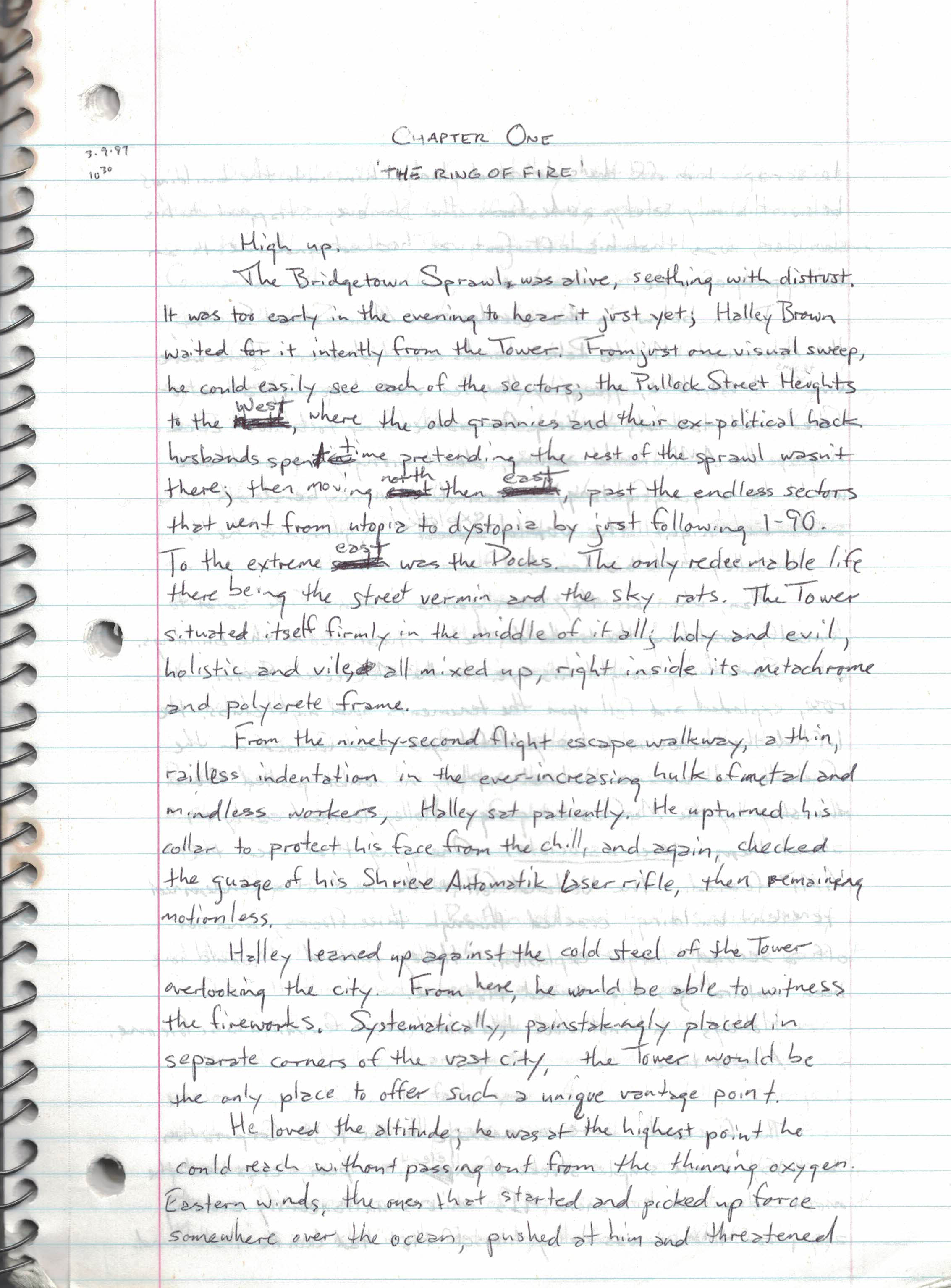
I’ve been meaning to do this for ages, and I may as well start doing it now, considering I have a brand spankin’ new scanner/printer to do it with. And since I’m working on the Trilogy Remaster, why not start with the longhand version of The Phoenix Effect?

I of course have endlessly waxed poetic about my time writing this in the food court of Solomon Pond Mall while I waited for the record store I worked at to open. I’ve also talked about how I consider this novel the turning point in my writing career, where I found my style and acquired the ability to write consistently instead of ‘when I was in the mood’. And about how this was the start of my almost-daily sessions down in my parents’ basement that lasted for almost nine years.

I’m scanning a chapter at a time into pdf form and saving it to my Dropbox, considering that’s the safest route. I may even eventually scan the completed typed version, which currently only exists as inaccessible MS Write files. This first chapter was surprisingly long at nineteen handwritten pages, and I’m pretty sure the first five or so were rewritten from an earlier and much rougher draft (probably no earlier than a few weeks at most) that must be kicking around somewhere.

Why do this at all, you ask? Well, why not? I’ve been wanting to revisit all this stuff at one point or another, and it’s easier to read a pdf on my PC or ereader than it is to dig most of this stuff out of their dusty corners where they currently reside. And besides, I think it would be fun to have all of this stuff in one easy place.

Will I eventually scan my other work? Sure, why not? I’ve got all sorts of longhand and pre-MS Word work, trunked and otherwise, that I haven’t revisited in years. It may be of no one else’s interest but my own, but I think that’s a perfectly fine reason to do it anyway.

How old is this printer, anyway…?

While doing my usual Sunday PC cleaning with the usual updates, cleaners and tune-ups, I’ve suddenly learned that my printer is no longer talking with my computer. I’m not sure if it’s a broken driver, screwed up settings due to cats using it as a perch, or just that it’s quite ancient in terms of tech years. I’ve updated all the drivers so it doesn’t seem that’s the issue. The printer seems to be stuck forever on a ‘receiving data’ notification on its tiny LCD screen, even after several reboots. The USB connector also feels kind of loose as well so I’m wondering if the hardware is just worn out.

Which makes me wonder…how old is this printer, anyway? Per this blog’s archive, it’s at least a decade old, having been picked up either in December 2014 or January 2015. It’s seen a lot of use, and it’s served me well. It’s finally time to buy a new one.

It also made me think about how often I do use it these days, and the answer is not all that much. Compared to back in the Belfry days when I’d print out a chapter as soon as I finished it (for offline editing and revision, of course) and once more when I wanted a crisp and clean copy, the only times I print out something here is when I need a mailing label or when A needs something for work. And these days I don’t need to print out a project if I’m ever thinking of submitting it somewhere, when most publishers prefer the digital copy anyway.

The old one is an all-in-one printer/copier/scanner and I find those very useful for various reasons, so that’s what I’m buying again. Tempting though it is to get a color printer, I don’t think I’d have much use for it, so monochrome it is. I might have to remember to turn the thing off when it’s not in use so Certain Cats don’t accidentally screw it up when they step on the LED screen on their way to/from the window. [I should start doing that anyway to save on energy and wear.] Brother aged this old model out years ago of course, so I’ve chosen a similar model that does pretty much offers the same things.

And speaking of scanners, I’m thinking this will give me the impetus to finally digitize my longhand work. I’ve been meaning to do that for years and keep putting it off, but given that I now have more time and inclination, perhaps it’s time. A lot of the longhand stuff is of course my juvenilia, but there’s a lot of trilogy-related stuff out there as well that hasn’t been put into pdf form, including the original rough draft of The Phoenix Effect. There are also printed versions of early works (like True Faith) that I can no longer access as I’d used MS Write for them and WRI files don’t translate to Word all that well. It would actually be kind of fun to pull all of it together so I can revisit it all on my e-reader!

Amusingly enough, the new printer should arrive on or around my birthday on Wednesday, so I’m thinking of this as a present to myself. Here’s to hoping the new one lasts as long as the old one did!

PC Stuff

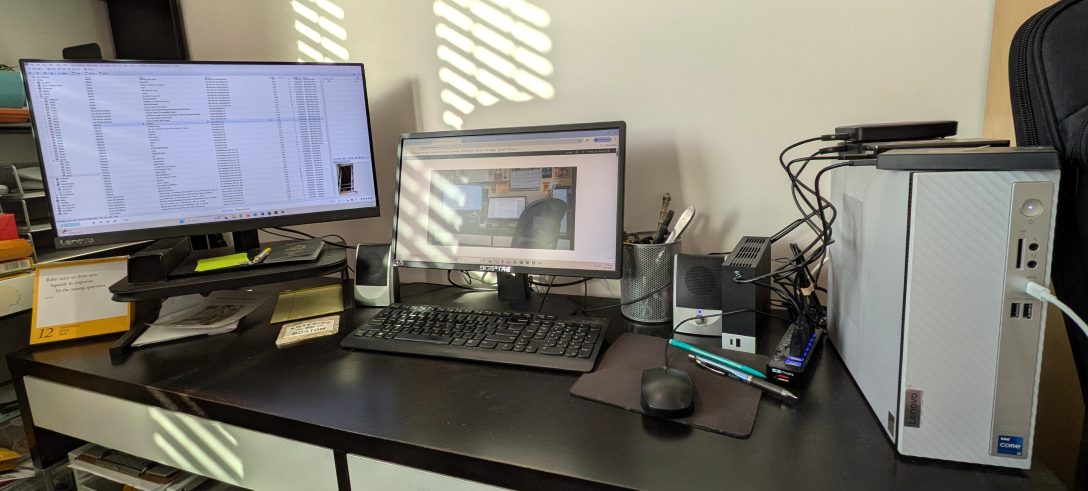
It’s been a bit of time since I got my new PC, and for the most part it’s been behaving pretty well. I’m still running the cleaners on a sort-of-weekly basis and keeping it healthy. I’m still having the occasional weird issue but I think that’s more on the wonky internet in Spare Oom. That’s most likely due to running too many internetty things at the same time and causing a bottleneck, which ends up causing a disconnect. I’ve always had that issue back here, mainly because we use a Powerline adapter back there. [Short version, it’s using the power outlets instead of an ethernet cable, which we don’t have set up back there.] It would be nice to get properly wired up back there, but it would require either some ridiculous wiring straight from the router (which we had back in Jersey) or rewiring with the landlady involved, and I don’t think I really need to go that far.

I suppose this would be a problem if I was, say, a gamer or a coder or doing something tech related, which I’m not. I’m just someone that’s streaming KEXP online while looking at email while downloading new music releases and saving things to Dropbox. It’s not a big problem at all when I’m working straight to Word, but it can be a problem when I’m working at the 750Words site, or writing a blog here. An internet drop-out can cause drafts not to be properly saved.

It’s not a consistent problem, just one when I’m multitasking too much. It’s merely an occasional setback I can work around. And perhaps I don’t really need to have five different internetty things running at the same time just then…?

Up and running

The new PC is up and running here in Spare Oom, and I’ve been spending my free time setting up the apps and programs I use the most. As I did with the restore of the older computer, I’m trying to keep it minimal. Do I really need this program taking up space? Do I even use that app anymore? There’s a handful of Must Haves, of course — Office 365 for the writing and MediaMonkey for the tunage, along with the couple of security apps — but I’m fine with not uploading certain programs unless I actually need them. This PC also has a much smaller footprint and I’m fine with that, but I may need to figure out a new setup for my externals, which are currently and precariously balanced on top of it at the moment.

And in a shocking move, I’ve decided to not set up Dropbox locally for reasons of finite hard drive storage space, meaning my writing is pretty much solely on its cloud. Mind you, I already have a copy of the folders on an external that I set up a day or so ago, so I can just do a manual ‘save as’ whenever I finish my writing session.

Either way, I’m glad that I made the move. Now I just need to get writing again!

Upgrade time

The Spare Oom PC is finally starting to show its age. Which is actually not surprising at all, since I’ve had this one for four years. It’s seen a lot of use between August of 2019 and now: music streaming and playing, novel writing, movie watching, Plex servering, internetting, job searching, 750 Words posting, blogging, and more. That’s a hell of a lot of words, music and visuals. Recently the PC has been consistently rebooting overnight, possibly due to a system failure, and the internet connectivity seems to drop out a lot when I’m multitasking online. It’s still a workable PC when it’s not acting up, but it’s only a matter of time at this point.

So on Saturday we ordered me a new replacement PC. I’m sticking with Lenovo this time, partly because this current one (an ideacentre 720, which is no longer made) stayed with me for so long with minimal problems for the longest time. I’ve mentioned before that my PCs usually last about three years before they start acting up, and four is actually a record for me! The new one is an ideacentre 3i which is a slight upgrade in terms of processing. It’s a bit smaller in storage space, but I’m okay with that considering that pretty much everything important to me lives on multiple external drives. It also doesn’t have a cd/dvd drive, but that’s okay too because I have a portable one of those as well that also reads blu-rays.

Meanwhile, as I wait for the new PC to arrive I will be shifting whatever’s left of the important stuff (photos, documents, and so on) to an external and/or to Dropbox for safekeeping. This means it might take me a little longer to Get Back To Work as I proposed on Friday, but it’s worth the wait.