At the moment I’m writing this, I have AVG Tune-Up going through one of my external hard drives — the one that contains my entire mp3 library, I should add — to make sure everything is running well, as it’s been slipping into sleep mode for no reason lately, usually when I’m in the middle of using it. Hopefully this scan should set things to rights. [Not to worry…said library is backed up on another external that’s running just fine, and is completely up to date….I think.] [Yes, I am a little nervous about this.]
Back in my Belfry days I was terrible at keeping my PC clean. It was partly because we were on dial-up so I was rarely online except late at night on the weekends. But due to the fact that I’d always had hand-me-down lower end models, putting something like McAfee took up way too much room and processor power. I’d maybe run a defrag and virus scan once a month or so. Suffice it to say, every now and again the PC would catch a virus and I’d have to waste precious writing time detoxifying it. Thankfully that didn’t happen too often…and I think the last time it really crapped out to that degree was just before I bought a brand new Dell back in 2003.
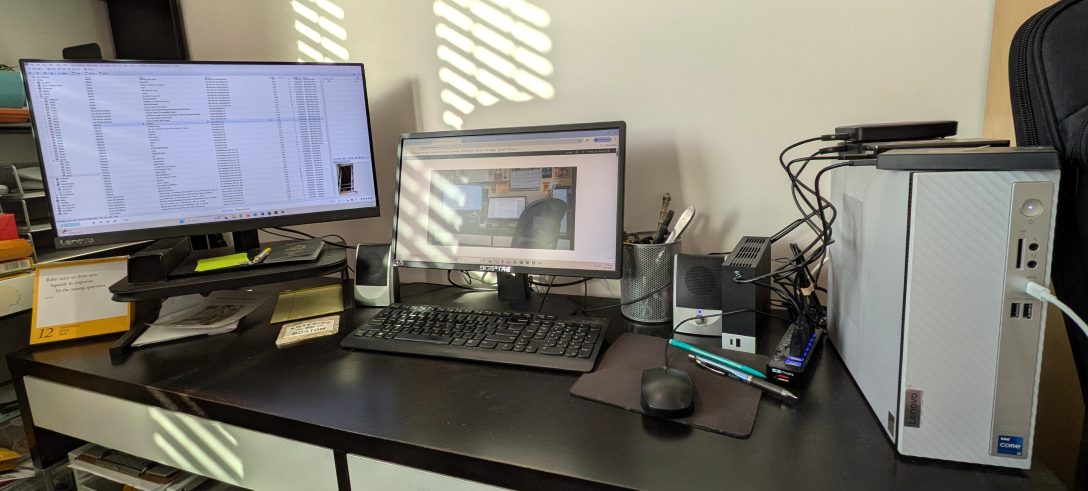
The PC I have now — a Lenovo ideacentre 720 — works pretty well considering, and I think I’ve had it for just over a year now with no major issues. A few weird ones, such as the aforementioned external drive sleepiness, a twitchy ethernet connection (a new cable seems to have fixed that), an older external becoming unreadable due to age and power loss (I’ll fix that eventually) and some annoying processor-hogging software (virus catchers, ironically), but other than that, it’s worked just fine. Knock wood.
I’ve learned a few lessons over the years though, that have kept me sane whenever something comes up:
–Cloud storage is a trusted friend. I’m not a big fan of using cloud software as a shareable work platform due to possible connection issues, but for safe storage and access from multiple points, Dropbox has done me well. I keep my writing, pictures and other important files there, and often access them using my phone or my tablet. It’s comforting to know the stuff is there, safely tucked away and easily accessible if my PC decides to die a horrible death.
–External hard drives are great, and they certainly free up a lot of space on the PC, but you’ve got to be a bit choosy about which ones to use. They’ve certainly gotten a lot better, faster and more reliable over the years, but one still needs to ensure that they don’t get infected or burn out. And I have multiple ones — one for the music library, one for the video library, and one for the backup of both. And I’m thinking of reorganizing them in the new year if I get a new 8TB external.
–I’m also choosy about the virus and cleaning software — I want a trusted brand, but I also do NOT want a resource hog, due to past experience. AVG has done me well over the years using Tune Up, Internet Security and VPN, and it’s reliable and very low on the resource levels. CCleaner is great and super easy to use freeware to get rid of pesky internet detritus, setting up which programs should be sleeping when not in use, uninstalling things, and fixing and cleaning registry keys. MalwareBytes is a necessary evil as it does a fantastic job of cleaning out said malware, but it tends to be somewhat intrusive if kept running. I have most of these in background mode and do a full scan every other week or so just I haven’t missed anything.
–And as always, don’t be a dumbass and click on weird links and spam emails. And those are always easy to find and evict from the premises.
Now, keeping my keyboard clean, on the other hand…that I need to be better at. The “n” key is sticking (why that particular one, I’m not sure) and it attracts dust like you wouldn’t believe.



 Welcome to Bridgetown